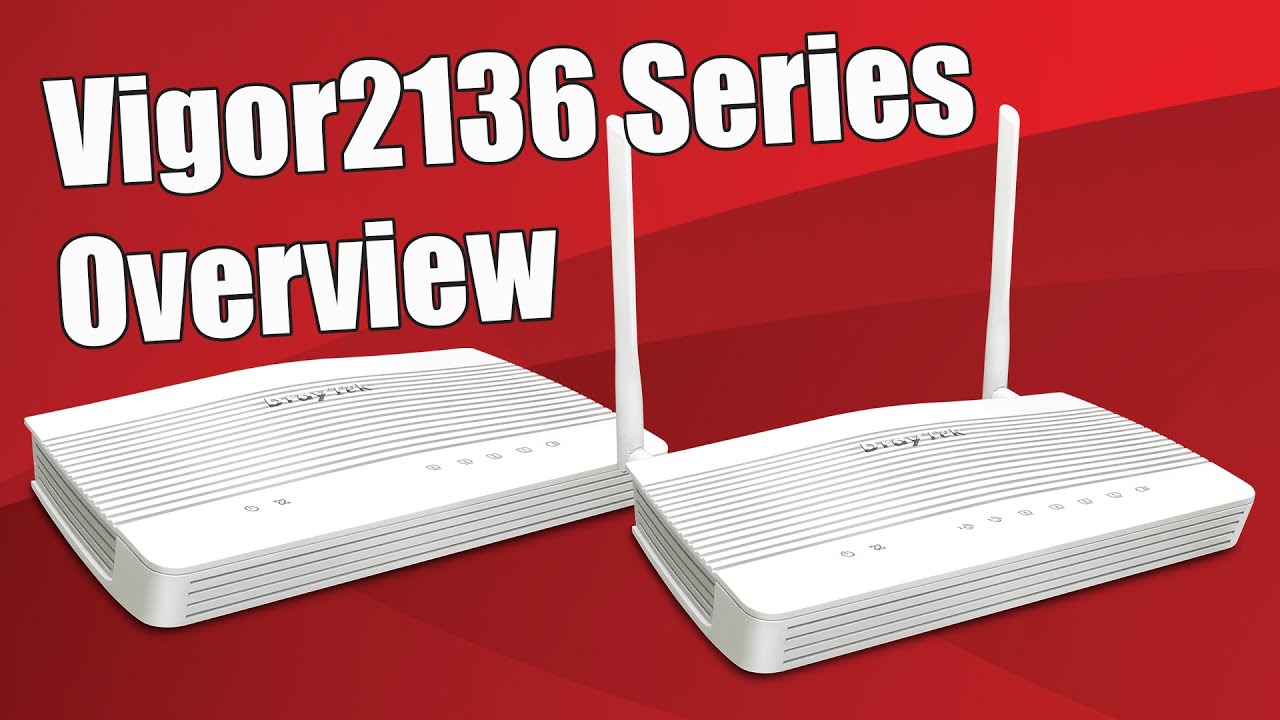
|
| Overview |
- Ready to connect to NTD (Network Termination Device) of NBN (Aust) and UFB (NZ)
- Cat.6 4G LTE modem with dual nano SIM slots (SIM slot 2 for Failover) for FDD & TDD 4G LTE WAN
- Support 4G LTE bands: B1/B3/B7/B8/B20/B28/B32/B38/B40; great coverage in Australia and New Zealand, Cat.6 4G LTE with 300Mbps download and 50Mbps upload speeds
- 1 x 2.5 Gigabit WAN port, Wi-Fi WAN and 2 x USB ports for 4G Mobile Fail-Over
- 1 x configurable 2.5 GbE WAN/LAN port (P1)
- 3 x Gigabit LAN ports with 50,000 NAT sessions
- NAT throughput with Hardware Acceleration over 2.3 Gbps
- IPsec VPN throughput up to 390 Mbps (AES 256 bits)
- Object-based SPI Firewall, Content Security Management (CSM), URL/IP Reputation and Port Knocking
- IAM (Identity and Access Management) to enhance security management and user experience
- IPv6 & IPv4
- 802.11ax (Wi-Fi 6, AX3000) Wi-Fi up to 574 + 2402Mbps speed
- 16 x VPN tunnels, including IPsec, OpenVPN, and WireGuard, with EasyVPN features that simplify VPN setup for effortless connectivity
- 1 x USB ports for 4G Backup, FTP server, network printer or thermometer
- Virtual AP Controller for the deployment of up to 20 wireless VigorAPs
- Wireless Mesh up to 7 VigorAPs
- Virtual Switch Controller to manage up to 5 VigorSwitches
- Supports VigorACS 3 Central Management Software for remote management
- 2 years back to base warranty
|
| 2.5GbE WAN Ultra-High-Speed Security Router with 4G Cellular |
The Vigor2136ax-4G delivers reliable, high-speed connectivity with built-in 4G cellular support. Its embedded dual SIM slots (one active at a time) provide enhanced redundancy to ensure continuous cellular network access. The integrated 2.5GbE WAN port offers ultra-fast wired performance, while Wi-Fi 6 (802.11ax) ensures efficient, stable wireless connections, even in high-density environments.
In addition to the primary 4G WAN connection, the router supports Ethernet WAN or Wi-Fi WAN as backup options, delivering uninterrupted internet connectivity for mission-critical applications.
The Vigor2136ax-4G also integrates a comprehensive suite of enterprise-grade features, including Route Policy, App-based QoS, IP/URL Filtering, SPI Firewall, Port Knocking, up to 16 VPN tunnels, Tag-based VLAN, and advanced traffic management. These capabilities make it a secure and robust networking solution for offices, retail locations, and remote sites. |
4G LTE Download Speed up to 300 Mbps | 2.5 GbE 1x 2.5G WAN, 1x 2.5G LAN/WAN Switchable | 16 x VPN tunnels IPsec throughput up to 390 Mbps | AX 3000 Delivers link rate up to 3 Gbps | 50k NAT sessions Recommended for a network of up to 30+ devices | |
|
|
| Interface |
 |
| | Fixed WAN Port: 1x 2.5GbE RJ-45 |
| | LAN/WAN Switchable Port: 1x 2.5GbE RJ-45 |
| | Fixed LAN Port: 3x GbE RJ-45 |
| | | | | |
|
| Multi-Gigabit Router |
Faster Wired Connections- 4K video streaming
- Online Gaming
- Large file transfers
- Network-attached storage (NAS) devices etc
Beyond Gigabit With internet speeds of up to 2.5 Gbps, users can fully utilize the available bandwidth. |
|
|
| 4G Router with High Speed Mobile Connectivity |
- Equipped with an integrated 4G LTE Cat.6 modem, the router supports carrier aggregation to deliver high-speed mobile broadband connectivity for reliable internet access and VPN services.
- The dual-SIM slot design allows the use of two mobile network providers. If the primary mobile network becomes unavailable, the router can automatically switch to the secondary SIM to maintain continuous cellular connectivity.
- With two external 4G cellular antennas, users can flexibly position the antennas to achieve optimal signal reception, even in challenging installation environments.
|
| |
|
| Effortless and Secure VPN Access with EasyVPN |
| |
Setting up a VPN can often be complex, involving protocol selection, manual configurations, and troubleshooting, especially for non-technical users. While Vigor routers support advanced VPN protocols such as IPsec, WireGuard, and OpenVPN, traditional setup methods can be time-consuming and daunting.
EasyVPN simplifies this process by offering a streamlined, hassle-free solution for secure remote connectivity. With EasyVPN, users can quickly establish encrypted connections without the need to:- Manually generate WireGuard keys
- Import OpenVPN configuration files
- Upload certificates
By automating these steps, EasyVPN delivers a fast, secure, and intuitive VPN experience—perfect for businesses and users who want robust protection without the technical complexity. |
|
| Stealth Security Protection with Port Knocking |
DrayTek’s Port Knocking technology adds an advanced stealth security layer by keeping critical network services completely invisible to unauthorised users. Instead of exposing management ports or VPN services to the public internet, Port Knocking requires a predefined “knock” sequence before access is granted, ensuring that only trusted users can discover and use these services.
By integrating three powerful functions, Port Knocking provides robust protection against port scanning, brute-force attacks, and unauthorised access.
Port Redirection- Conceal real service ports from the public internet
- Redirect unauthorised requests to non-existent services to prevent detection
Secure Router Management AccessAllow router management access only after a successful knock sequence or through a secure internal serverCompletely eliminate direct exposure of the management interface to the open internet
VPN Service Control (WAN Binding)- Keep VPN services invisible until the correct knock sequence is received
- Bind VPN availability to specific WAN interfaces and authorised IP addresses
How It Works- By default, all protected ports remain closed and undetectable
- After the correct knock sequence is received, selected ports open temporarily for authorised access
- Once the configured time window expires, services automatically return to hidden mode
With DrayTek Port Knocking, your network operates in stealth mode, invisible to attackers yet instantly accessible to authorised administrators and remote users. It is the ideal solution for organisations that demand high-level security without compromising accessibility. |
|
| Hardware NAT & Routing |
| With hardware acceleration enabled, the Vigor2136ax-4G achieves up to 2.3 Gbps NAT throughput while maintaining QoS performance —
ensuring business-critical applications are prioritised. | | LAN (2.5GbE) to WAN 1 | 2.3 Gbps | | LAN (1GbE) to WAN 1 | 950 Mbps | |
|
| IAM (Identity and Access Management) |
| Vigor2136 Series with the new DrayOS5 is Zero Trust ready! |
| IAM (Identity and Access Management) is a cybersecurity system that controls user access by managing digital identities, authentication, and authorisation, to ensure correct access to network resources such as applications and devices. |
| |
With processes including identifying, authenticating, authorising users or groups, and assigning appropriate levels of access, IAM enhances both security management and the user experience and plays an important role in cloud-based services.
The IAM solution from Vigor2136ax-4G is Zero Trust Ready, and allows you to grant and categorize user privileges, create and manage access policies, and define large-scale group policies that integrate multiple filtering rules and traffic-shaping settings. |
| |
| Users & Groups |
- User accounts and user groups allow flexible access level control.
- Existing external authentication server is supported.
- User and MFA protection can be easily configured.
|
| |
| Access Policies |
System administrators can create access policies for the local users in this tab. The access policies can be configured based on:- MAC address filter list
- The allowed / blocked user list
- The login sessions lifetime
Access policies can be combined to create a robust security framework for your system. |
| |
| Conditional Access Policy |
Conditional access policies can be configured to request users to provide multiple forms of authentication before granting appropriate access to a resource.- Specify a period for the user to re-authenticate
- Restrict access to specific source IP addresses or ranges of IP addresses
- Specify VLAN-based access level in your conditional policies
- Set up time schedules when users are allowed to log in
|
| |
| Resources Tab |
Configure local resources such as IP and MAC addresses for workstations, network printers, PBX systems, NVR systems, servers, etc. |
| |
Backup and Restore Backup or restore router settings such as Users and Groups, Access and Group Policies, etc. A password protection can be applied before backup or restore. |
| |
|
| URL Reputation |
URL Reputation is a cloud-based threat intelligence service that adds an extra layer of security to protect LAN clients during their online activities.
With a total of 82 content categories, including 10 security-focused ones, it provides comprehensive and up-to-date protection for both home and business networks.
These categories cover a wide range of areas—from malware, spyware, and adware, to parental controls, business productivity, and social networking—helping to create a safer online environment, enhance employee productivity, and support efficient bandwidth management.
|
|
| IP Reputation |
Every internet communication involves source and destination IP addresses. Cybercriminals often exploit known malicious IPs to launch attacks using various techniques, including:- Botnets
- TOR nodes and anonymous proxies
- Command-and-Control (C2) servers
- Phishing servers
- Distributed Denial of Service (DDoS) attacks
|
|
| IP Reputation helps identify and block traffic from these high-risk IP addresses, adding an essential layer of network protection against cyber threats. |
Blocking communication with malicious IP addresses is critical for network security. However, relying on static blocklists is no longer effective, as they lack the real-time, predictive intelligence needed to combat evolving threats. The IP Reputation Service addresses this challenge by delivering dynamic, real-time scoring and classification of IP addresses. It enables the automatic blocking of:- High-risk traffic
- Suspicious proxies
- Malware distributors
- IPs associated with recent malicious activity
The system evaluates IPs based on multiple factors, including infection history, protocol behaviour, and attack frequency. Each IP is assigned a reputation score, which determines whether it should be trusted, monitored, or blocked, ensuring proactive and intelligent network protection. |
You can purchase a URL Reputation B card for your Vigor2136 series
|
|
Vigor2136ax-4G 2.5GbE Router with AX3000 (Wi-Fi 6) capacity |
| |
| Vigor2136ax-4G is a 2×2 dual-band Wi-Fi router that provides 160 MHz bandwidth and 1024-QAM modulation to greatly increase wireless data speed. The theoretical speed is up to 3,000 Mbps, of which 574 Mbps is in the 2.4 GHz band and 2,402 Mbps in the 5 GHz band—about 2.5× faster than an 802.11ac 2×2 dual-band router. Equipped with business-grade features including URL Reputation, Route Policy, App-based QoS, and more, Vigor2136ax-4G is perfect for professional smart homes/SOHO users who want full control of their network. |
|
| MU-MIMO |
| |
|
| BSS Colouring |
| Instead of CSMA/CA (which allows only one device to transmit at a time), 802.11ax uses BSS Colouring to manage collision avoidance. Each Wi-Fi device is assigned a Basic Service Set (BSS) colour (6-bit field) and adjacent devices use different colours. Before transmitting, a device checks the BSS and backs off only when the colour matches its own. This maximises spectral efficiency—APs and clients can transmit simultaneously even on the same channel. |
| |
|
| TWT (Target Wake Time) |
| Devices negotiate with the AP for a Target Wake Time (TWT), or join a TWT broadcast session, and transmit only when the TWT arrives—reducing power consumption and increasing network efficiency. |
| |
|
| WPA3 (Wi-Fi Protected Access 3) |
| WPA3 enhances Wi-Fi security by addressing vulnerabilities in previous standards (WEP, WPA and WPA2) and introducing stronger authentication, improved encryption, and better protection against brute-force and man-in-the-middle attacks. |
DrayTek’s Wi-Fi 6 encryption:- WEP (64 / 128-bit)
- WPA / WPA2 / WPA3 / OWE
|
The table below compares the security design of Wi-Fi protocols WEP, WPA, WPA2 and WPA3. | | WEP | WPA | WPA2 | WPA3 | | Encryption | RC4 | TKIP / RC4 | AES-CCMP | AES-CCMP /
AES-GCMP | | Session Key | 64/128-bit | 128-bit | 128-bit | 128/256-bit | | Authentication | Open / Shared key | Pre-shared key | Pre-shared key | SAE / 802.1X | | Level of Security | Very low | Low | Moderate | High |
|
| Seamless Wi-Fi Roaming |
|
| Fast & Smooth Handover |
| Seamlessly switch between access points with intelligent roaming support. Supports both Over-the-DS (via wired backbone) and Over-the-Air handoffs, ensuring reliable connectivity for video calls, voice communications, and real-time applications. |
| Smarter Assisted Roaming |
Configurable signal thresholds and AP steering guide devices to stronger access points and help balance network loads.
Enjoy stable, consistent performance across all devices everywhere. |
| Always Optimized for Business |
| From offices to campuses, seamless roaming delivers uninterrupted mobility. Built to provide reliable coverage for the demands of modern workplaces. |
| Mesh Wi-Fi |
Vigor2316ax-4G supports up to 7 APs, which can form one or more Wireless Groups. Each group can form Mesh links automatically based on the optimum signal level among the APs and devices. |
|
|
|
| Hotspot Web Portal |
Market your business while offering free Wi-Fi. |
|
Wi-Fi MarketingRedirect hotspot guests to the company homepage, online surveys, or display a promotion message. Grow Customer Mailing ListRequire guests to leave contact info or social media accounts before they can use the Internet services. Various Authentication TypesVarious login methods are supported to meet your business needs, including Facebook Login, Google Login, SMS PIN, and RADIUS. 3rd-Party Service CompliantSupports external captive portal authentication so you can keep using the Wi-Fi marketing solution you prefer. Data Quota ManagementBandwidth management is integrated into the Hotspot features to control the bandwidth and session usage of the Hotspot guests. |
| LAN Management |
The LAN Management platform allows easy and flexible configuration for Vigor devices on the LAN side, supporting up to 20 VigorAPs (including a root AP) and 5 VigorSwitches.
Automatic Device DiscoveryJust connect new devices such as Vigor Switches or APs to the LAN port, Vigor2136 will auto-configure the new devices into the network. |
|
ProvisioningNew devices such as Vigor Switch/AP can be configured into the network automatically. MonitoringA summarized view of the network at the same page allows fast monitoring of all devices in the network. System MaintenanceTasks such as factory reset, backup and restore of configuration settings, or remote reboot can be performed from the Vigor routers, without needing to log in to the devices’ management pages. |
| Key Features |
Embedded SIM Slot
Provide 4G LTE Internet access to where fixed lines are (temporarily) not available without the need for a USB dongle.
2.5 GbE
Provides higher performance to Wi-Fi 6 AP and other Ethernet devices
Bandwidth Management
Prevent one device using all the bandwidth by bandwidth limit policy, session limit policy, and QoS settings.
DrayDDNS
The free DDNS service for you to access the router by a fixed hostname of your choice. Learn more.
VPN (Virtual Private Network)
Build a secure and private tunnel from the LAN of Vigor2136 Series to the remote offices and teleworkers over the Internet. Learn more
EasyVPN
Secure VPN in Seconds: No Keys, No Configs, Just Login.
Firewall & Content Filter
Filter web pages by URL keyword or web category to block access to insecure or inappropriate contents.
URL/IP Reputation
Improve network security by classifying URLs and IPs to control web access and protect against online threats. Learn more
IAM
A solution that manages digital identities, authentication, and access control to ensure the right users or groups have appropriate access to critical resources.
Hotspot Web Portal
Market your business and communicate with the guests while offering hospitality WLAN. Learn more.
Wi-Fi 6
Feature OFDMA and MU-MIMO technology to improve Wi-Fi efficiency and deliver higher wireless speed
Mesh (Wireless model only)
Easily link to other VigorAP to expand the wireless network. Learn more.
Virtual AP/Switch controller
All-in-one management platform for Vigor2136ax-4G to maintain and monitor the VigorAPs and VigorSwitches.
|
| Management Solution |
On-Device Network Management with DrayTek Virtual Controller
The DrayTek Virtual Controller is a built-in management platform available on supported routers and firewalls.
It delivers centralised network control without cloud dependency, helping reduce data exposure risks while enhancing security and privacy.
Wireless Management- Mesh Controller – Easily build and manage wireless mesh networks with auto-routing and self-healing capabilities.
- AP Management (APM) – Automatically discover, configure, and monitor connected VigorAPs, making it simple to deploy multiple APs with unified settings.
Switch Management- Central Switch Manager (SWM) – Detect and manage supported VigorSwitches, push configurations, monitor device status, and apply VLAN or QoS policies, all from a single local interface.
|
| Wireless Management Solution |
Mesh |
|
Up to 7 APs
|
- DrayTek Wireless app-support
- Discovery
- Auto-Provisioning
- Monitoring
- Centralized Hierarchy View
|
|
Virtual AP Controller |
|
Up to 9 VigorAPs
|
- Auto-Discovery
- Auto-Provisioning
- Monitoring
- Centralized View
- Alarm
- Reboot VigorAP Remotely
- Wi-Fi Client Load Balancing
|
|
Device Management |
|
View and Configure VigorAPs
|
- Device List
- Mesh Status
- AP Adoption
|
|
| Switch Management Solution |
SWM |
|
Virtual Switch Controller
Up to 5 VigorSwitches
|
|
Device Management |
|
Display VigorSwitch name, MAC address, IP address, Firmware Version, Model, Online Status, System Uptime, Port in Use, Clients, and Last Process Status.
Scan the network to add new VigorSwitches. |
|
Port Profile |
|
| Create profiles that include general settings, VLAN, GVRP, Multicast STP, and QoS settings, which can be applied to the managed switch. |
|
Maintenance |
|
Perform maintenance tasks for selected VigorSwitch. Tasks include Configuration backup and restore, Remote Reboot and Factory Reset of the selected switch. |
|
| Software Management |
VigorACS 3 |
|
- Zero Touch Deployment & Provisioning
- Auto VPN
- Interface Quality & SLA
- VoIP Optimization & Monitoring
- Application Visibility
- Application Based SD-WAN Policy
- Customized Hotspot Page with Multilingual
- Hotspot Clients Analytics
- ACS Server Load Balancing / Failover
|
|
| Vigor2136ax Review |
|
|
|
|
| In-the-box |
Vigor2136ax-4G |
Cellular Antenna x 2 |
Wi-Fi Antenna x 2 |
RJ-45 Cable
(Ethernet) |
Power Adaptor |
Quick Start Guide |
Note: The throughput figures are maximum, based on DrayTek internal testing with optimal conditions. The actual performance may vary depending on the different network conditions and applications activated. |
| Video |
|
| If you're not in an area with cabled broadband, did you know that DrayTek wireless routers can connect to a wireless hotspot? In some remote areas, you may have access to a wireless broadcast nearby. In this case, a DrayTek wireless router can be configured to connect to it and then share that internet service with your local area network, with all of the same firewall and other security benefits that DrayTek routers provide. It can also connect to a mobile phone's hotspot and use the phone's 4G or 5G internet connection, which can come in very handy if your usual ISP goes down. |
|
| Config Demo |
|
Click below for the Config Demo Page: |
| |
| |
|
|
|
|
| |